
Email Manager
Hepsia's Email Manager is an all-inclusive email management tool, which will grant you total command over your e-mailboxes and e-mail campaigns. With this user-friendly user interface, you can create a brand new email mailbox account in an instant and manage its settings with ease. Furthermore, you can redirect mails from one e-mail box to another, finetune mail filters, set up auto-reply messages and shield your e-mail accounts against junk electronic mails.

Anti-Spam Protection
We have a server-side anti-spam filtering solution, so you can protect all your mailboxes against unsolicited bulk mail messages. You can also change the anti-spam protection level from 'Very Low' to 'Very High' to make sure that no unwanted e-mails will find their way into your email box. Your emails will be sifted out on the basis of their spam score. You can also choose whether an electronic mail message flagged as spam should be erased or forwarded to a particular mailbox.

Email Filters
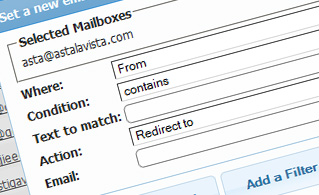
Email filters are excellent for filtering your incoming mails on the basis of certain criteria defined by you. Creating mail filters is very easy - all you need to do is fill out a simple form and your e-mail filter will be activated and will take effect immediately. You can quickly set up an e-mail filter for any of your e-mailbox accounts and change the mail filtering criteria as per your wish.
Email Forwarding
You can quickly forward your incoming electronic mails from one email box to another, or even to a number of other mailboxes. Simply choose the email account you want to redirect e-mail messages from, then select the destination e-mailbox and select if you wish to leave a copy on our servers.

Auto-Configuration Options
With the Email Manager, you can easily set up the electronic mail client of your choice to access your email boxes. Just go to the Auto-Config column next to the email mailbox account you wish to set up on your desktop PC or handheld device and click on the e-mail client that you would like to use (Microsoft Outlook, Outlook Express, Mozilla Thunderbird or Apple Mail). Then a file will be generated for you. Drag the file to your email client and the new email box account will be configured in an instant.
More Features
With the Email Manager, working with multiple email boxes at the same time is child's play. The Email Manager interface will also enable you to quickly create an auto-response message - specify the message you want people to see and our system will take care of the rest. And if you want to set up a catch-all mailbox - you can do that with a simple click on the Catch-all icon.
| SHARED HOSTING | KVM VPS | OPENVZ VPS | SEMI-DEDICATED PLANS | DEDICATED SERVERS |
| Unlimited storage | 80000 MB storage | 80000 MB storage | Unlimited storage | 480 GB storage |
| Unlimited bandwidth | 4000 GB bandwidth | 3000 GB bandwidth | Unlimited bandwidth | 10000 GB bandwidth |
| 1 website hosted | Unlimited websites hosted | Unlimited websites hosted | Unlimited websites hosted | Unlimited websites hosted |
| 30-Day Free Trial | 24/7/365 support | 24/7/365 support | 30-Day Free Trial | 24/7/365 support |
| start from $3.17/mo | start from $14.50/mo | start from $14.50/mo | start from $20.00/mo | start from $60.00/mo |