
File Manager
Hepsia's File Manager section enables you to manage your website files by means of simple point-and-click movements. Right-click contextual menus offer rapid access to various file manipulation options, whereas convenient drag-and-drop functionality will permit you to upload new files from your desktop PC in no time. You will also find built-in file editors and an image viewer. You will be able to zip and unarchive files easily as well.
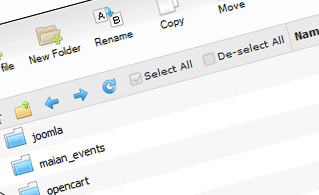
Fast File Uploads and Downloads
Working with the File Manager feels like working with your desktop computer. The in-built drag & drop functionality will permit you to effortlessly move files between your personal computer and the hosting server. Simply select the file that you want to upload from your PC and then drag it into your browser window. The same applies to downloading a file from the File Manager to your hard disk. Additionally, you can download files and even folders to your desktop by pressing the Download button.

Easy File Editing Options
With the File Manager, you can create a brand new file or folder with just a mouse click. All action buttons are handily placed above the file/folder list and you can modify your files without difficulty. You can rename or copy a file, move a file to another folder, examine the contents of a file or update its permissions, erase a file, etc.

Handy Archive/Unarchive Functionality
With the File Manager GUI, you will be able to archive and unpack all types of files. It works stunningly fast - simply select the files you want to make an archive of and push the Compress button. You can even select the archive file format (.rar, .zip, etc.). It is just as easy to extract files from an archive to a chosen directory.

File Editors
With the File Manager interface, you really do not need any external pieces of software to update your files. There is an image viewer, which enables you to view the contents of your image files to get a clue about how the images will in fact show up on the web. Furthermore, you will find an array of in-built file editors, which will give you absolute authority over your files. The plain text editor and the code editor are aimed at more advanced users, whereas the WYSIWYG editor (where you can see all HTML source code changes in real time) is also suitable for technically inexperienced users.
More Features
Irrespective of whether you have one website or multiple web sites hosted in your shared hosting account - we offer a user-friendly Host Shortcut feature, so you can quickly select only the web site you want to work with. With the File Manager GUI, you can also use most of the famous keyboard shortcuts - click on Delete to delete a file or a folder, or hold down the Ctrl key to select multiple files simultaneously.
| SHARED HOSTING | KVM VPS | OPENVZ VPS | SEMI-DEDICATED PLANS | DEDICATED SERVERS |
| Unlimited storage | 80000 MB storage | 80000 MB storage | Unlimited storage | 480 GB storage |
| Unlimited bandwidth | 4000 GB bandwidth | 3000 GB bandwidth | Unlimited bandwidth | 10000 GB bandwidth |
| 1 website hosted | Unlimited websites hosted | Unlimited websites hosted | Unlimited websites hosted | Unlimited websites hosted |
| 30-Day Free Trial | 24/7/365 support | 24/7/365 support | 30-Day Free Trial | 24/7/365 support |
| start from $3.17/mo | start from $14.50/mo | start from $14.50/mo | start from $20.00/mo | start from $60.00/mo |